Implementing SVG Captcha in Koa
Koa Captcha
First, install svg-captcha:
1 | |
1 | |
Create an endpoint to serve the captcha:
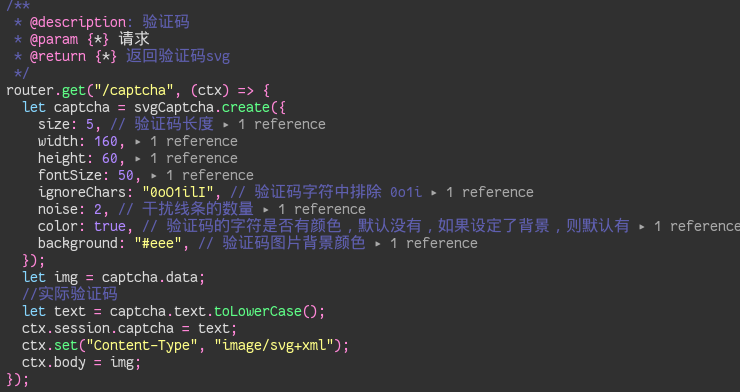
Key Points:
- Case Sensitivity: Always use
toLowerCase()when storing/comparing the text, otherwise validation will fail unexpectedly. - Session: You need
koa-sessionto store the correct captcha text (ctx.session.captcha) for later verification. - Content-Type: Set the header to
image/svg+xmlso the browser renders it as an image.
Session Configuration
You need to configure koa-session for this to work:
1 | |
Verification
When the frontend requests /captcha, the server generates the image and stores the text in the session (encrypted/signed in the cookie).
When the user submits the form with the captcha code, you simply compare the submitted value with ctx.session.captcha.